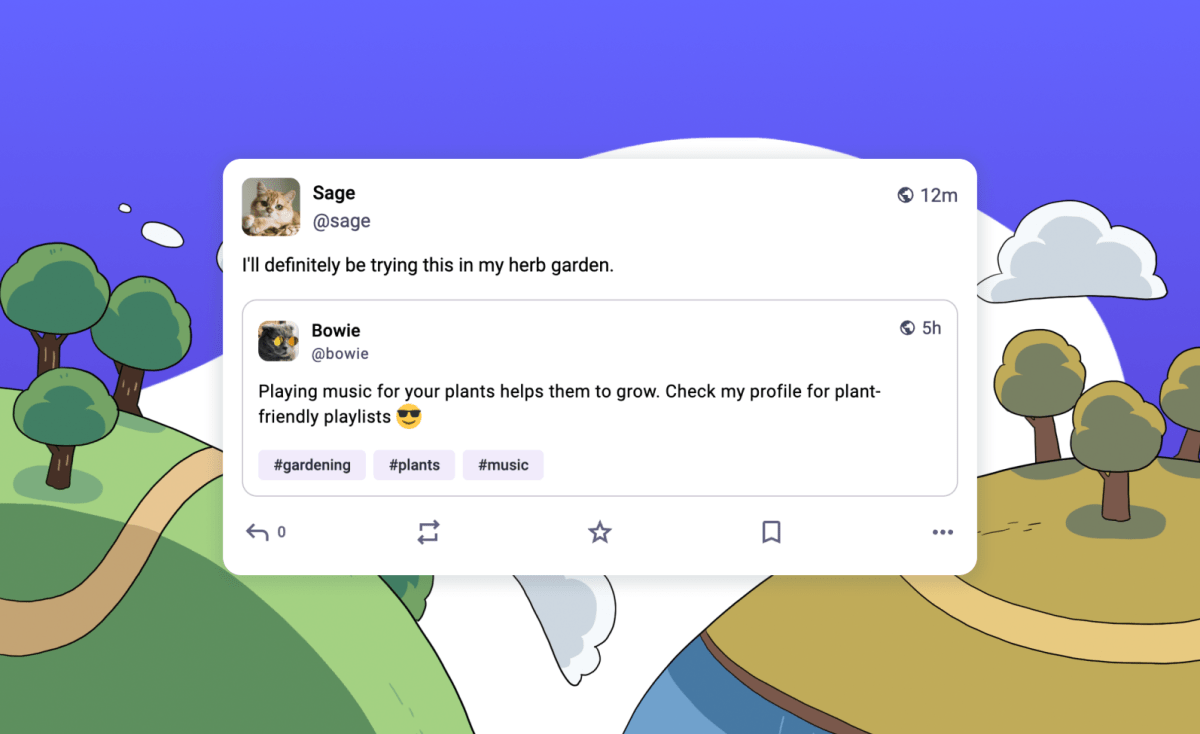

Mastodon, an open source, decentralized alternative to X, is rolling out a somewhat controversial feature by adding quote posts, which will launch next week. The feature, which allows a user to quote someone else’s post and re-share it with their own response or commentary, has contributed to a culture of “dunking” on X, where users often deride other people by responding with snark or insulting humor.
To address this concern, Mastodon says it’s implementing quote posts with safety controls.
These protections are designed to allow quote posts to be used responsibly, to “expand discussions, make new connections, and amplify underrepresented voices,” the platform states.
Mastodon gives users several ways to control how their posts can be quoted. For starters, the platform lets users decide who can quote them through a setting where you can change your defaults. Here, you can set the permissions for who can quote you by choosing between “Anyone,” “Followers only,” or “Just me.” Additionally, you can control the visibility of quote posts by setting them to be visible to the public, to followers only, or a setting called “quiet public,” which makes the quotes public but removes them from Mastodon’s search, trends, and public timeline.
Users will also be able to override their default settings on a post-by-post basis, if need be, by navigating to the “Visibility and interaction settings” within the composer screen. This would be useful if you know you’re about to say something controversial or anything that could attract unwanted attention from those with opposing views, for instance.

Plus, users will have control of their posts even after they’re quoted, the Mastodon blog post about the new feature explains.
When someone quotes a post, the user being quoted is notified in the app, and they can choose to remove their original post from the other person’s quote post. This is accessible through the Options menu (the three dots icon). From this location, users can change the quote settings to address any future quoting of their post going forward. They can also block users to prevent them from seeing and quoting their posts in the future.
Techcrunch event
San Francisco
|
October 27-29, 2025
Support for quote posts will first arrive over the week ahead to the larger Mastodon servers at mastodon.online and mastodon.social. It will then become available in Mastodon’s 4.5 software update.
To quote a post, you’ll find the new option under Mastodon’s Boost (similar to X’s repost/retweet feature). Because the fediverse, or open social web, is a network of servers running different software, quote posts may not immediately appear everywhere, and some platforms may not update to use the technical specification enabling quote post support right away.